The carrier will receive an email from SpotQuoteRequest@freightPOP.com. The subject line will include the requesting company’s name, the term "Spot Quote", and the associated quote number for easy reference.
Important: Do not reply directly to the email. Instead, use the links provided within the message to submit your quote. This ensures your response is properly tracked and visible within the FreightPOP platform.
The email will also include the customer’s contact information should you have any questions. Key shipment details such as the Ship Date, Required Arrival Date, Origin, and Final Destination will be clearly displayed.
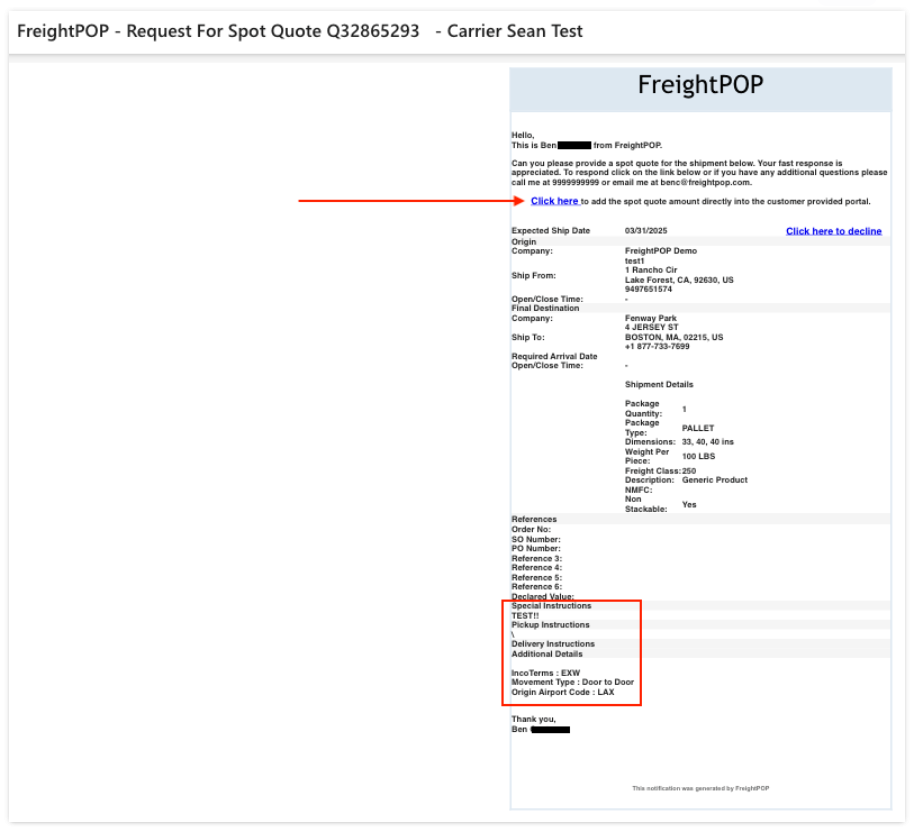
Near the bottom of the email, you’ll find the Shipment Details, including any special instructions and required information for the quote. To submit your response, the carrier must click the blue Click here link located at the top of the email.
Clicking the link will open a new browser window where the following details must be entered:
Service Type
Transit Days
Quote Number
Rate
There is also an optional field to include special notes if needed. We recommend bookmarking this webpage so you can easily revisit and reference past shipments.
Once the quote is submitted, a confirmation email will be sent to the customer with the carrier copied. This message will include both the quote number and rate for record-keeping.
Carrier Responses to Pickup Requests
The carrier will receive an email from PickUpRequest@freightPOP.com. It’s important not to reply directly to this email. Instead, please use the links provided within the message to respond. This ensures your submission is properly recorded and visible within the FreightPOP system.
The email will contain the shipper’s contact information along with complete shipment details, including the Pickup Date, Required Arrival Date, and any special instructions related to the order.
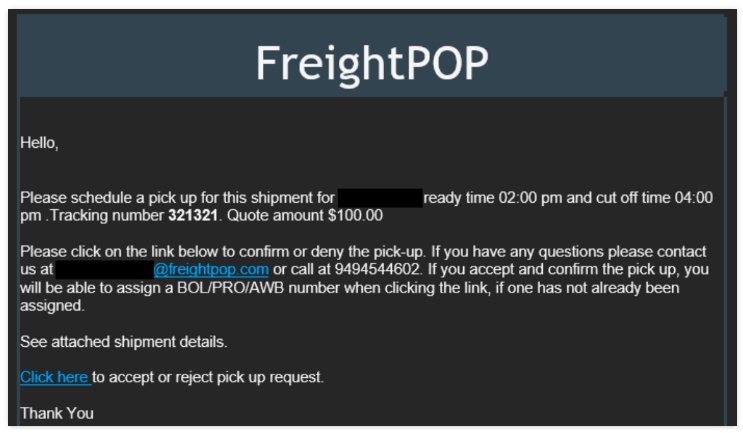
To respond to the request, the carrier must click the blue Click here link in the email to either accept or decline the shipment.
Clicking the link will open a new browser window displaying all shipment and pickup details. An example of the page layout is provided below for reference. Carriers may also include special notes in the designated section, if needed.
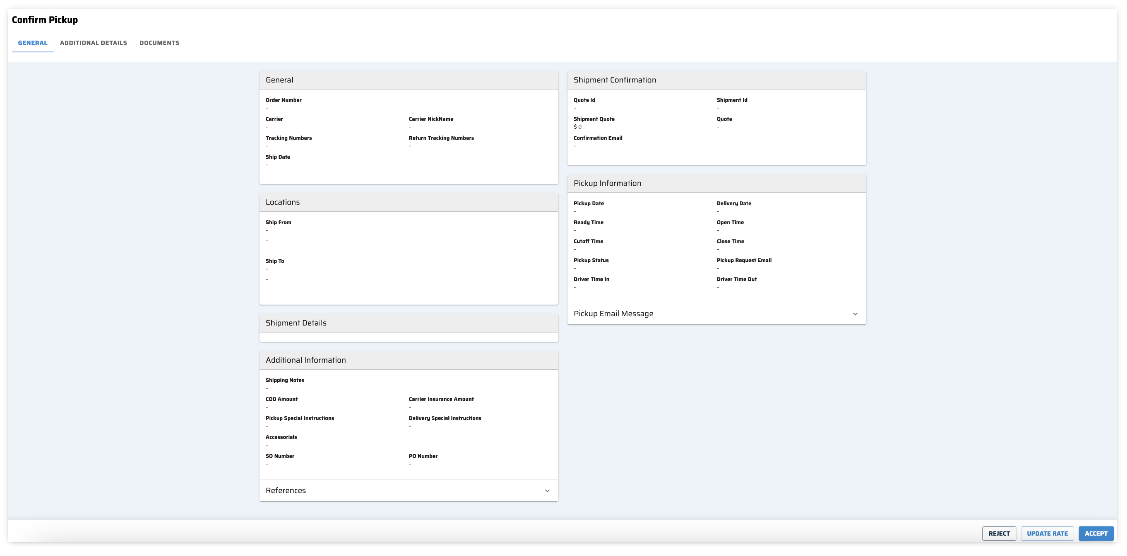
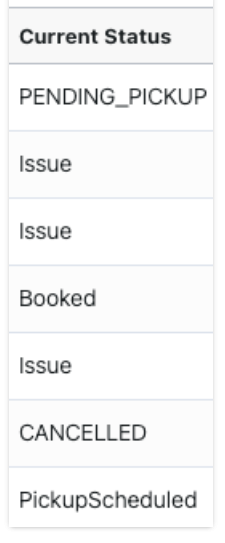
A message will then be sent to the customer confirming that the carrier has accepted the pickup and the status within FreightPOP will show Pending Pickup.
Carrier Responses to Tracking Requests
Spot Quote carriers will also receive emails from TrackingUpdateRequest@FreightPOP.com requesting tracking updates for shipments that are in transit.
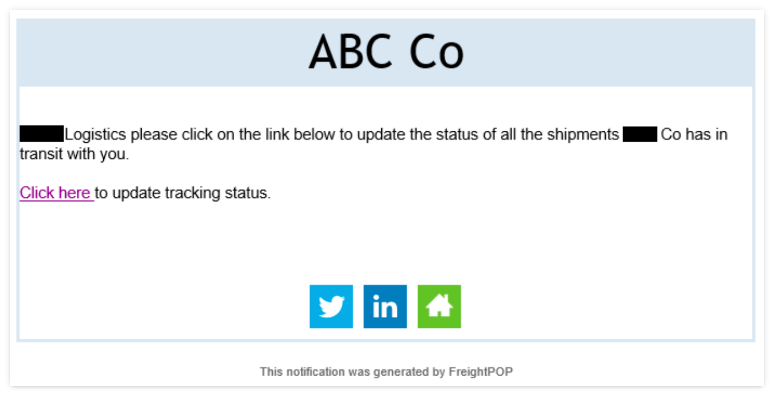
Once the carrier clicks the link, they will be redirected to their portal, which includes all shipments that have been picked up, including a 30-day history.
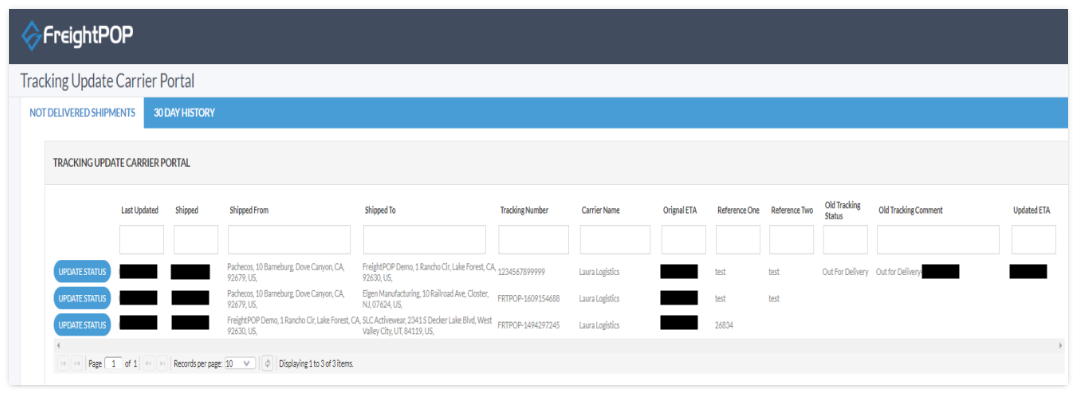
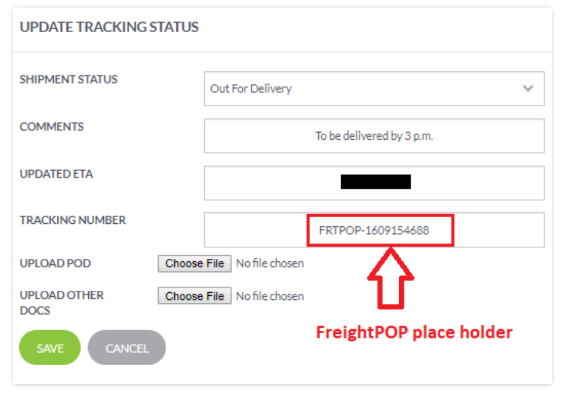
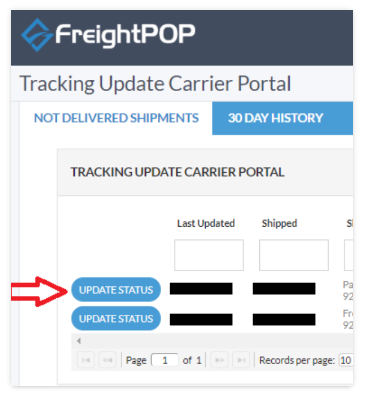
The carrier can update the status by clicking Update Status.
This section also allows the carrier to add comments, upload Proof of Delivery, or attach other supporting documents related to the shipment.
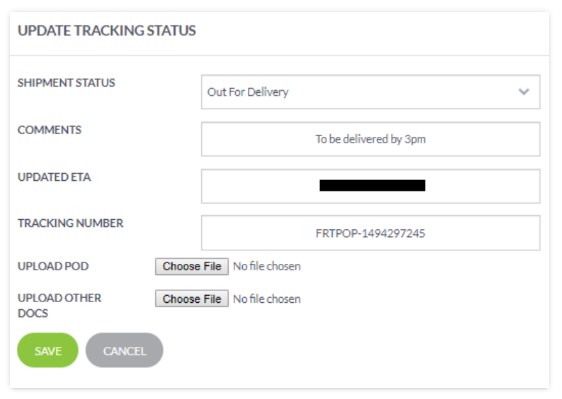
Note: The 'FRTPOP' pro number is a placeholder and will need to be updated with the carrier’s pro number.