
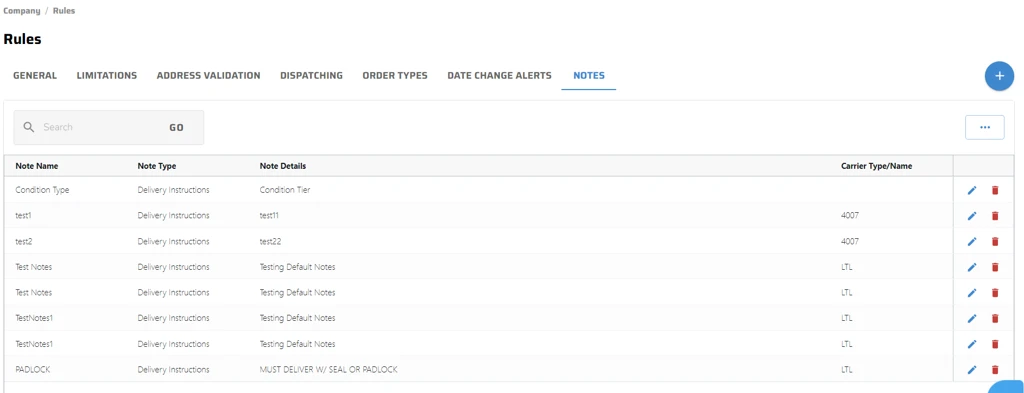
Default Notes allow predefined Pickup or Delivery Instructions to be automatically inserted into a shipment. These notes can be applied based on carrier type, a specific carrier, or a combination of a carrier and service or set of services.
Adding Notes
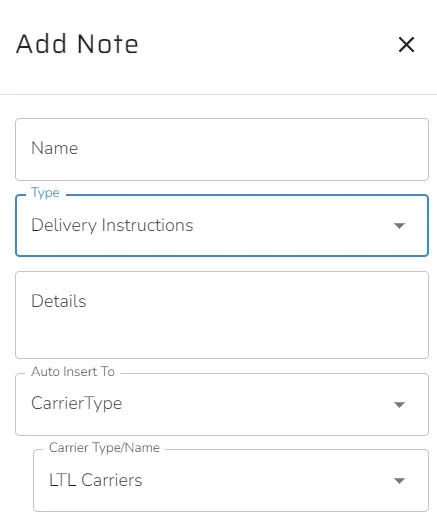
Type: Select either Delivery Instructions or Pickup Instructions.
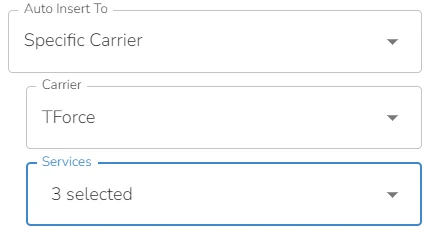
Auto Insert To: Choose between Carrier Type or a Specific Carrier.
Default notes will also populate correctly when orders are imported to Quote/Ship with Carrier and service already selected either from the ERP or within Order Management.
If default notes are added at the carrier level, specific services can also be selected. When rate shopping, these notes will be automatically added upon selecting Ship It. If a carrier is chosen without rate shopping, the notes will be applied at that point in the UI.


